
The file does not travel
No upload, no import, no copy on our side. Close the tab and nothing of the workbook remains anywhere but your own disk.
Freicore Product / Root
Root opens your XLSX as it is. Nothing is imported, nothing is uploaded, and there is no server — the engine runs in your browser tab. Every answer carries the row numbers it came from.
What Excel cannot ask
The same piece of equipment sits in the from column of some rows and in the to column of others. Excel's autofilter can ask only one of them, so it shows you part of the picture and says nothing about the rest — and nothing on screen tells you a part is missing.
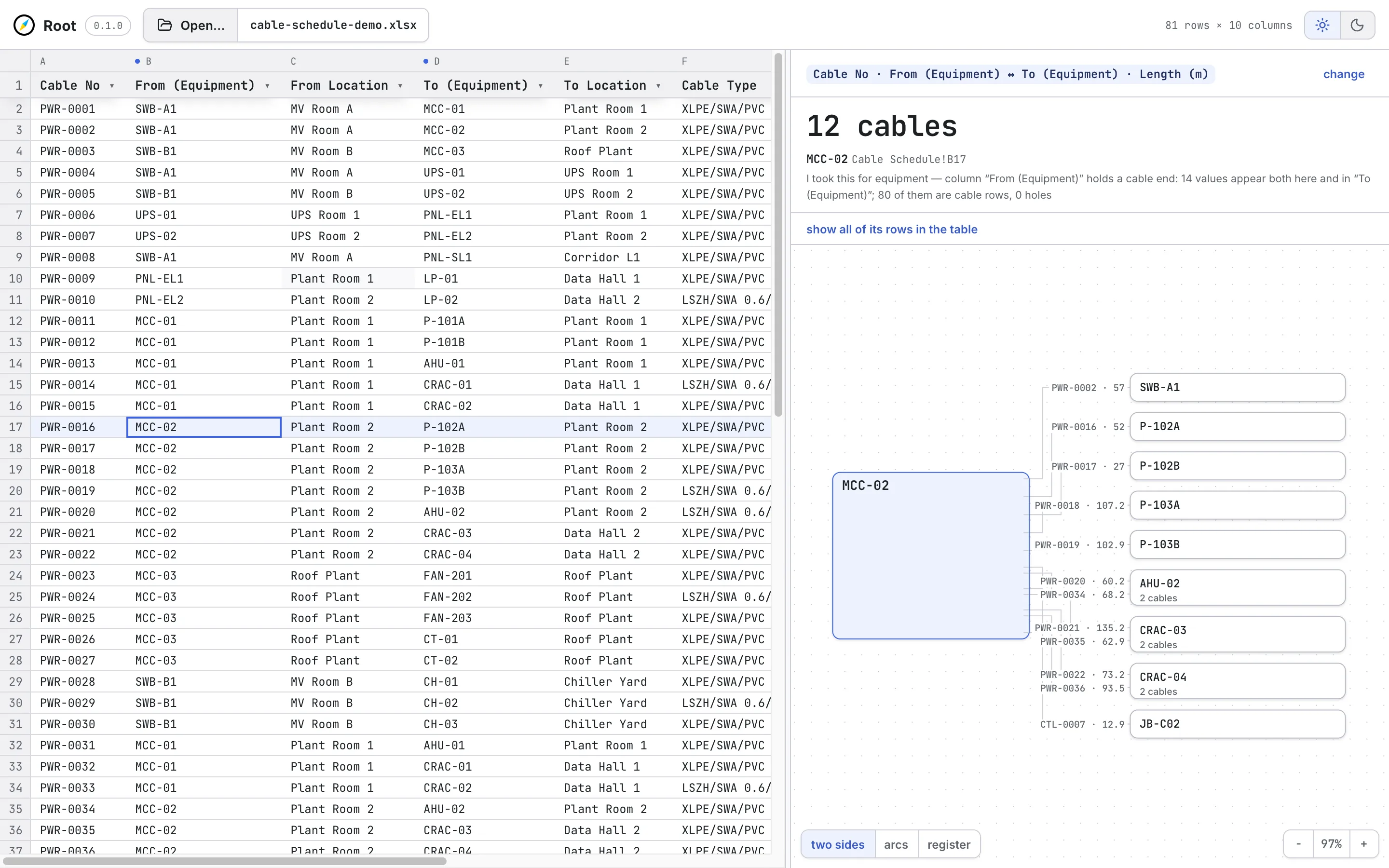
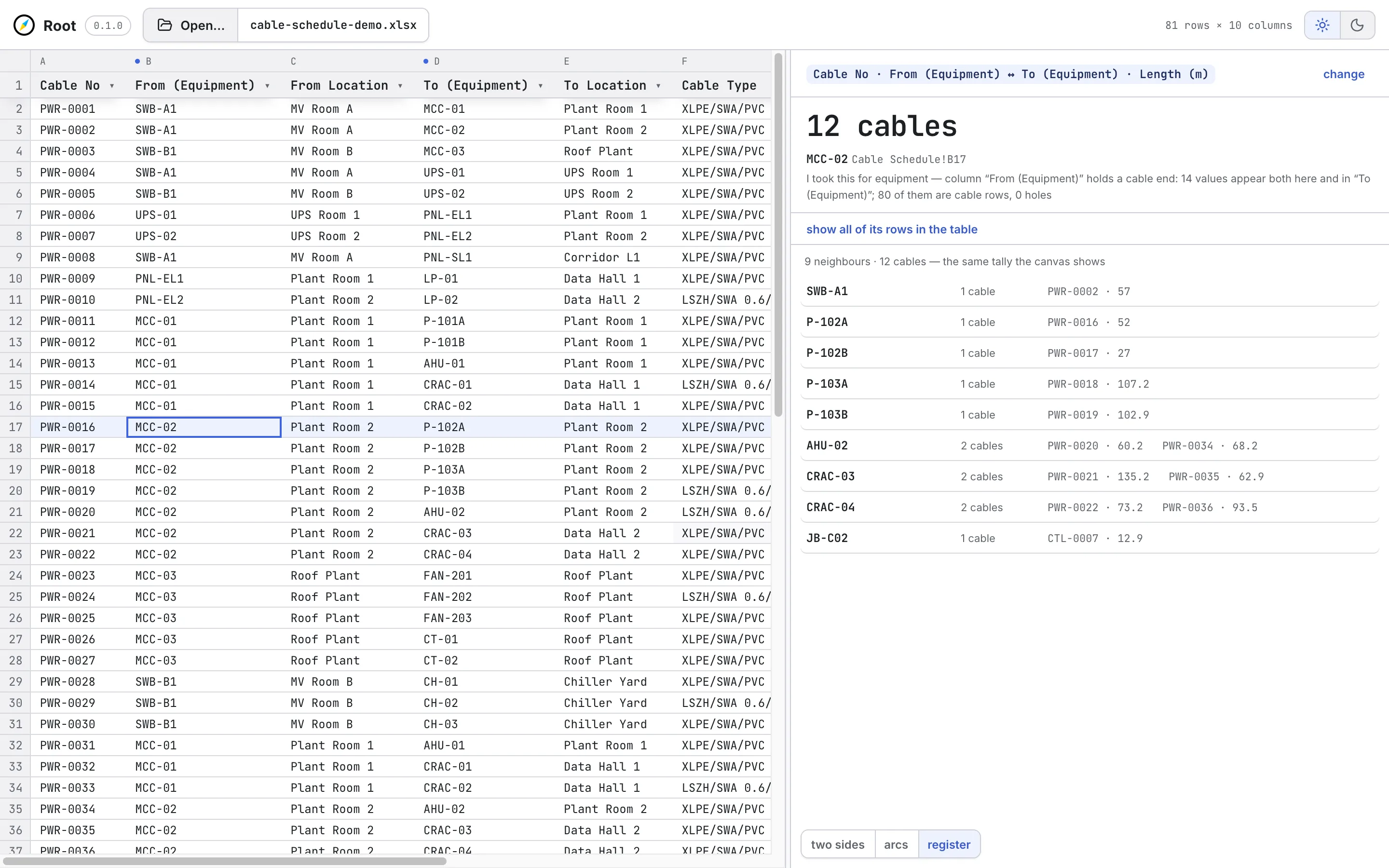
Root asks both, and returns every cable on that equipment. Each one arrives with the row it was read from, so the answer can be checked against the file rather than believed.
One click on a piece of equipment
A cable has two ends — so the same equipment sits on both sides of the schedule
Excel autofilter
Asks one column, and says nothing about the other.
Root
Reads both ends, and returns every cable on that equipment.
Every cable comes back with the row number it came from, so the answer can be checked against the file it was read from.
Your file is never uploaded — the engine runs in your browser tab.
One click, both ends
A demonstration cable schedule: 81 rows of a data-centre electrical and instrumentation package. Every tag, cable number, and length in it is invented. The behaviour on screen is not.
Your file stays yours
Root has no server. The engine is delivered to your browser tab and runs there, and the workbook is opened by you, from your own machine. This is not a privacy policy — it is the architecture, and it is the part competing tools cannot match: every one of them begins by moving your schedule into their database.
No upload, no import, no copy on our side. Close the tab and nothing of the workbook remains anywhere but your own disk.
After the first load the engine is cached in the browser. On a site with no connection, Root still opens the schedule and still answers.
What Root works out about a sheet — which column holds the cable number, which pair holds the ends — lives in your browser's own storage, not in an account of ours.
When there is no answer
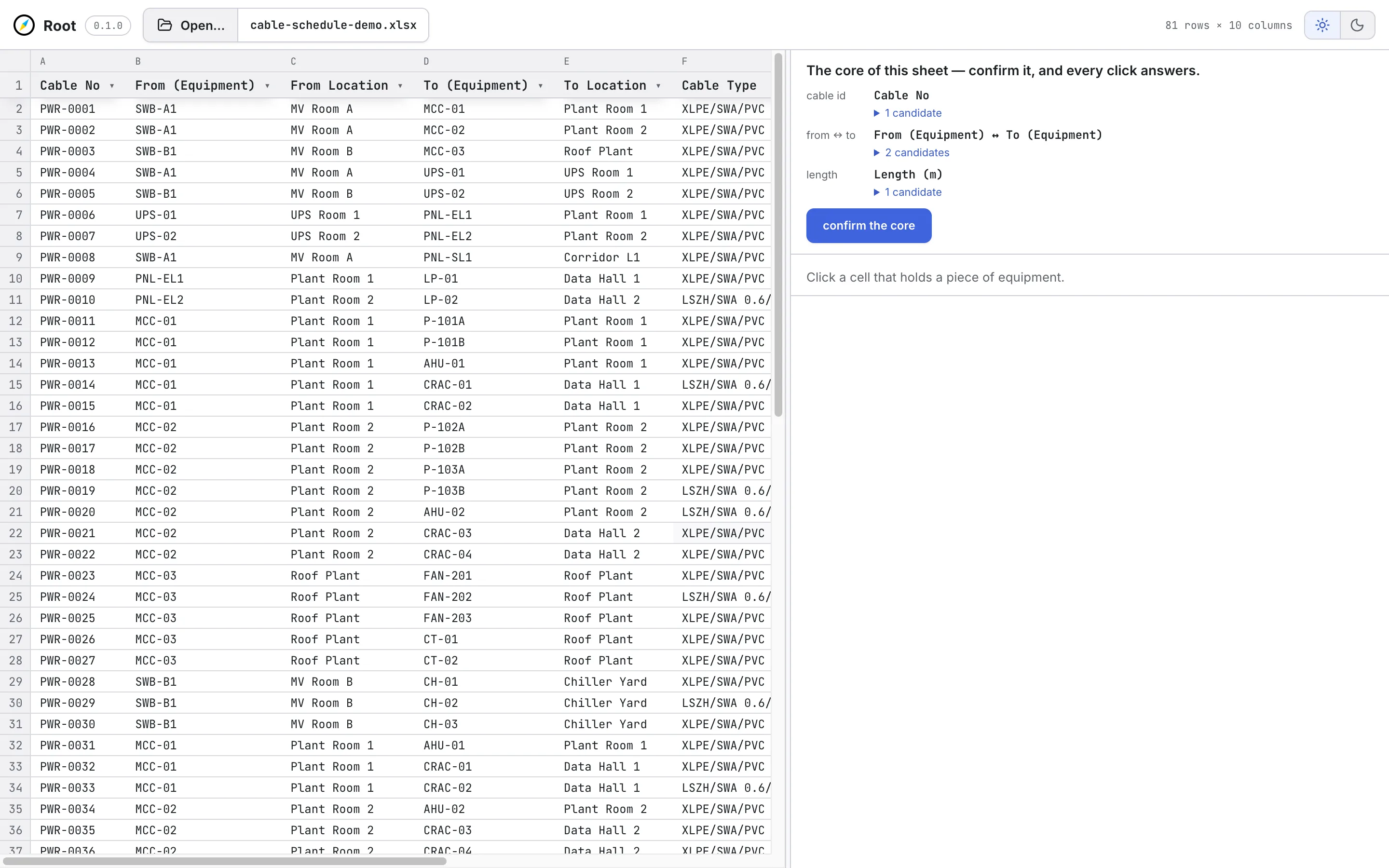
Cable schedules are not clean. Columns are named differently on every project, ends are split across merged headers, counters look like identifiers, and some sheets simply do not hold what a question needs.
Where Root cannot answer, it says so and names the column it looked at. Where it is unsure between two candidates, it asks — and shows the counts that made it unsure. Where a filter narrows what you see, it says how much was left out. Nothing is quietly rounded, dropped, or guessed.
Honest limits
Root is a reader. Excel stays your working place, and nothing Root learns is written back into the workbook.
Sorting would desynchronise what you see from the file it came from, and the row number would stop being an address. Filtering covers the same need without breaking that.
Answering is linear in rows. Tens of thousands of rows are noticeably slower than a few thousand — measured, and being worked on.
Root access
Access is arranged directly rather than by anonymous signup. Tell us what the schedule looks like and what you need to get out of it.